Microsoft AZ-140 - Configuring and Operating Windows Virtual Desktop on Microsoft Azure Certification Examination Exam
Question #1 (Topic: demo questions)
HOTSPOT
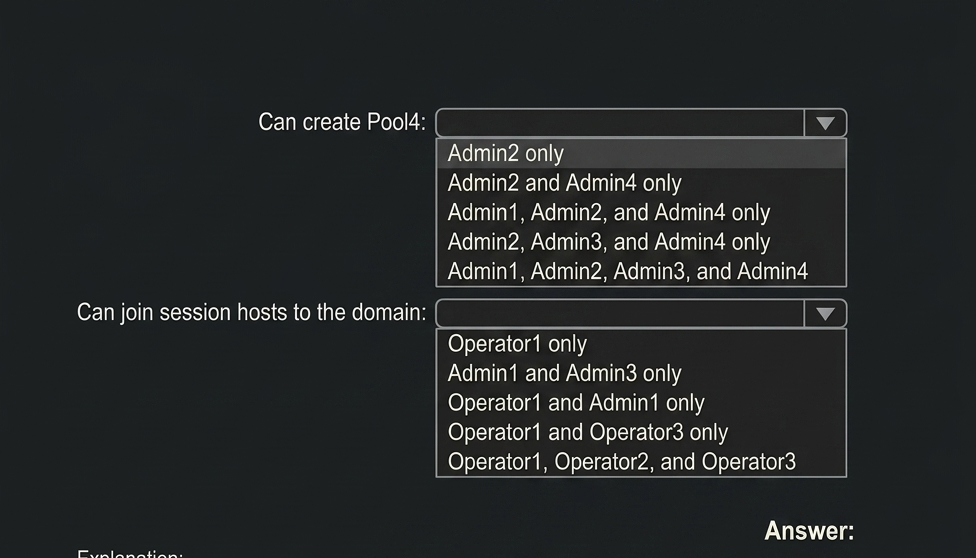
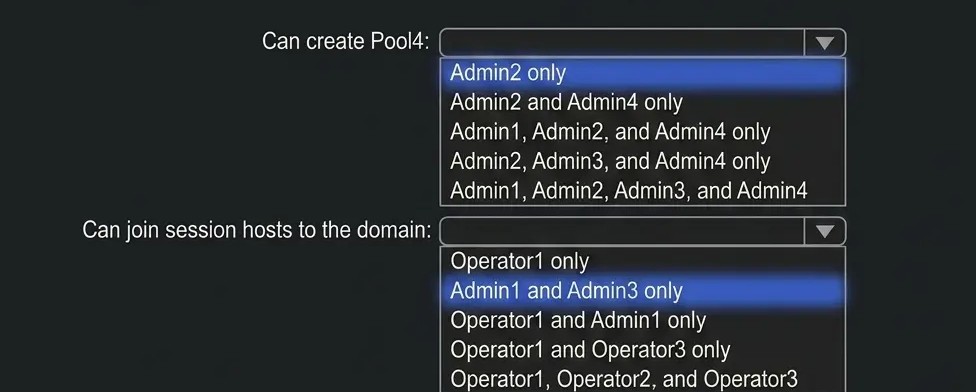
Which users can create Pool4, and which users can join session hosts to the domain? To answer,
select the appropriate options in the answer area.
NOTE: Each correct selection is worth one point.
A.
Correct Answer: A
Explanation:
 \
\
Question #2 (Topic: demo questions)
Which role should you assign to Operator2 to meet the technical requirements?
Correct Answer: D
Explanation:
The correct answer is D. Desktop Virtualization Contributor. This role should be assigned to Operator2 because it provides broad administrative permissions to manage Azure Virtual Desktop resources, including host pools, application groups, workspaces, and session hosts. It enables the user to perform configuration and management tasks required for the virtual desktop environment without granting unnecessary owner-level permissions. The other roles are more specialized and limited to specific functions, such as managing session hosts, host pools, or user sessions. Therefore, the Desktop Virtualization Contributor role best meets the technical requirements by providing the necessary level of access and management capabilities.
Question #3 (Topic: demo questions)
You plan to implement the FSLogix profile containers for the Seattle office.
Which storage account should you use?
Correct Answer: A
Explanation:
FSLogix profile containers require a storage account that supports high-performance file shares (Azure Files with Premium or properly configured SMB storage) and is aligned with the specific regional deployment requirements (Seattle office in this case). Among the available options, storage2 is the correct storage account because it meets the technical requirements for hosting FSLogix profile containers, ensuring low latency, reliable SMB access, and appropriate performance for user profile workloads.
FSLogix profile containers require a storage account that supports high-performance file shares (Azure Files with Premium or properly configured SMB storage) and is aligned with the specific regional deployment requirements (Seattle office in this case). Among the available options, storage2 is the correct storage account because it meets the technical requirements for hosting FSLogix profile containers, ensuring low latency, reliable SMB access, and appropriate performance for user profile workloads.
The other storage accounts either do not meet the required performance tier, are not properly configured for SMB-based profile container usage, or are not aligned with the Seattle office deployment requirements. Therefore, selecting storage2 ensures optimal compatibility and performance for FSLogix profiles in the environment.
Question #4 (Topic: demo questions)
DRAG DROP
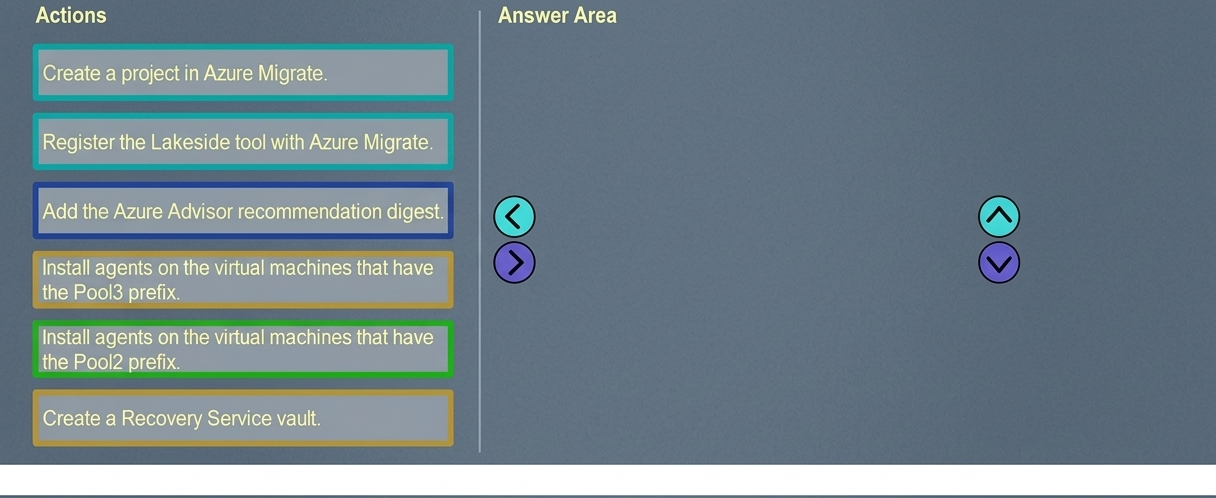
You need to evaluate the RDS deployment in the Seattle office. The solution must meet the technical
requirements.
Which three actions should you perform in sequence? To answer, move the appropriate actions from
the list of actions to the answer area and arrange them in the correct order.
A.
Correct Answer: A
Explanation not available for this question.
Question #5 (Topic: demo questions)
You plan to implement the FSLogix profile containers for the Seattle office.
Which storage account should you use?
Correct Answer: A
Explanation:
For implementing FSLogix profile containers in the Seattle office, the storage account must support the required SMB-based file share performance and be aligned with the regional deployment and technical constraints. storage2 is the correct choice because it meets the necessary requirements for FSLogix profile storage, including reliable performance, low-latency access, and compatibility with Azure Virtual Desktop profile containers.
For implementing FSLogix profile containers in the Seattle office, the storage account must support the required SMB-based file share performance and be aligned with the regional deployment and technical constraints. storage2 is the correct choice because it meets the necessary requirements for FSLogix profile storage, including reliable performance, low-latency access, and compatibility with Azure Virtual Desktop profile containers.
The other storage accounts do not align with the required configuration for FSLogix profile containers or do not meet the performance and access requirements for user profile redirection. Therefore, selecting storage2 ensures proper functionality and performance for the Seattle office deployment.